
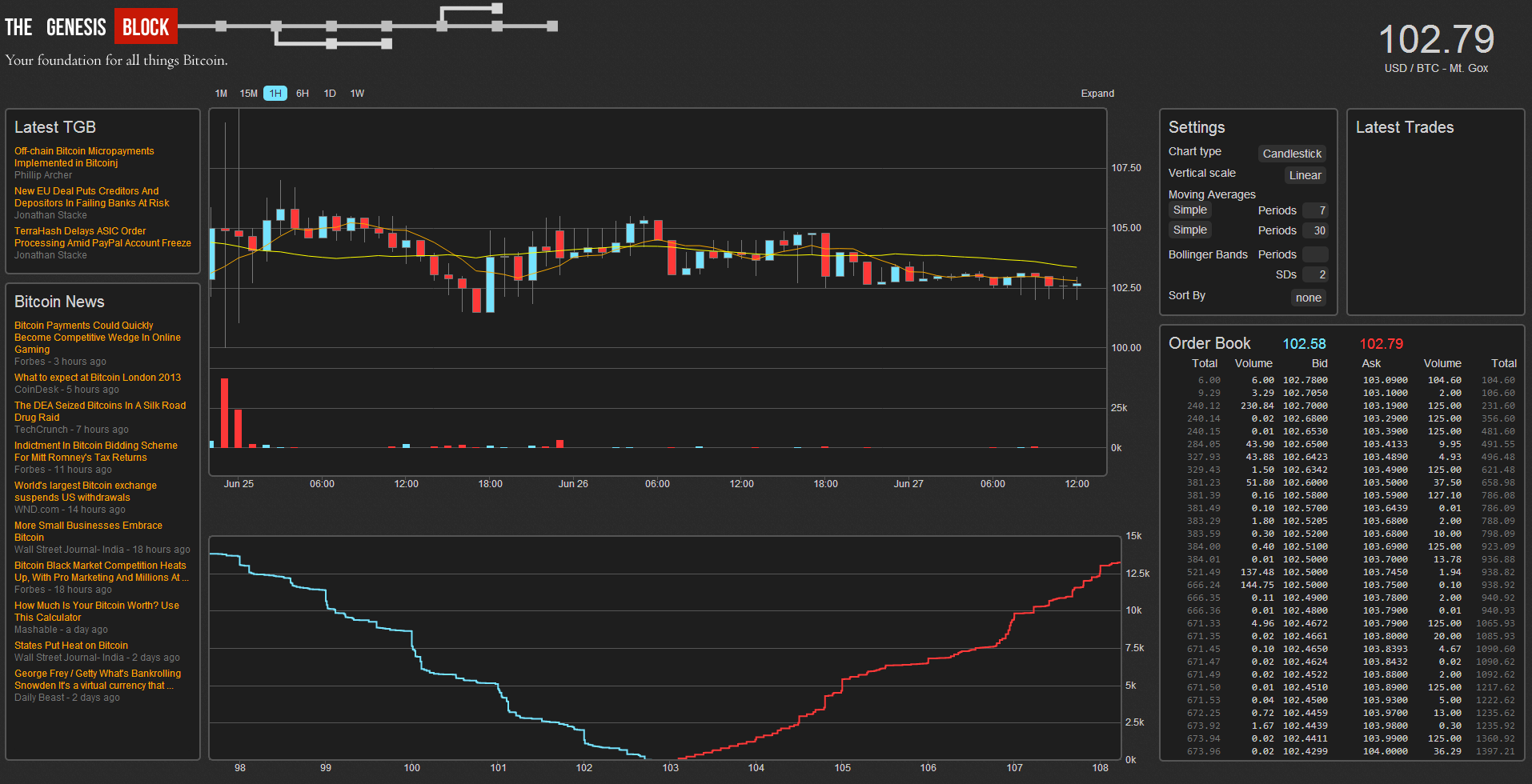
The Genesis Block is proud to announce the launch of the Bitcoin Market Dashboard, the first in a series of free tools we’re developing for the bitcoin community.
Our team was looking for a single reference we could leave open to stay fully updated on the market. Since nothing available fit our needs, we built the Market Dashboard and are more than happy to share it with the world. A brief feature overview is below.
Live and Historical Data
As our readers know by now, understanding the bitcoin market requires far more than the latest exchange rate. To help you gain perspective, we included a number of tools to supplement the standard price and volume chart.

Historical perspective. Instantly.

All the news that’s fit to bit
On the bottom of the price chart you’ll notice a series of flags going back through early 2011. Each of them corresponds with a news article from that day, hand picked by our team to give you deeper perspective on market-moving events over time. Just click the flag to see the headline, or click the headline to read the full article.
You’ll also find a number of chart settings to help you customize your experience. In addition to multiple chart types (candlestick, line, OHLC), we also offer the option for a logarithmic y-axis – a particularly important tool when looking at historical trends, given bitcoin’s incredible growth over time. You can also customize up to two simultaneous moving averages by number of periods and MA type. Finally, for the more technical analysts, you can also set customizable bollinger bands.
To help you stay apprised of the market without having to leave the dashboard, the news column on the left side the screen is automatically and perpetually updated to help you stay on top of the latest headlines.
Order Book – Live Feed and Depth Chart
On the bottom and right side of the screen you can view a market depth chart alongside live exchange order book data, sortable by price intervals. Not interested in order books? No problem, simply click the ‘Expand’ option above the live price chart to view only price and volume data.
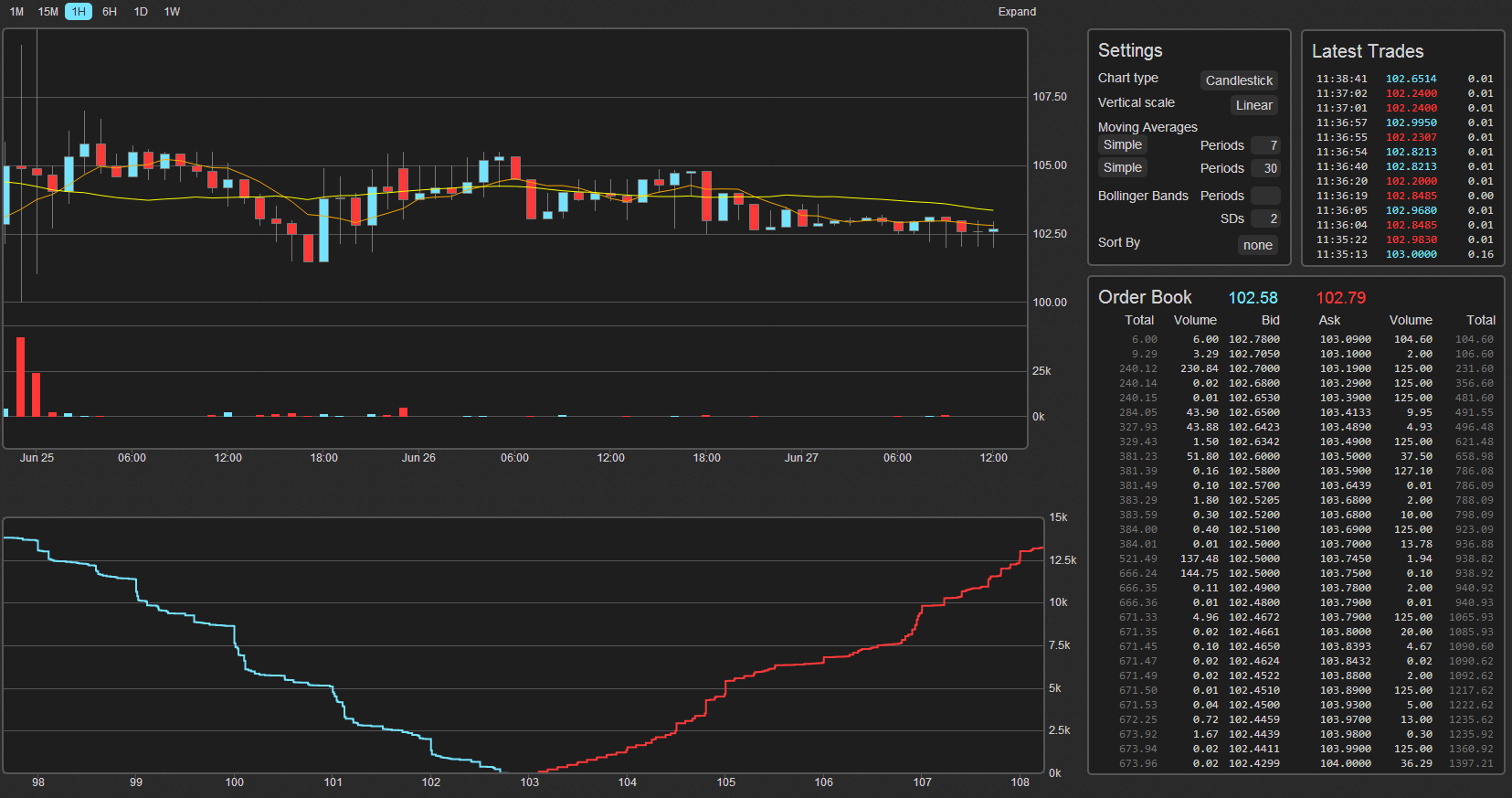
See it live: markets.thegenesisblock.com
We’re Just Getting Started
In addition to the functionality available today, we will continually add to the Market Dashboard, including a robust set of currencies and exchanges, technical analysis features, mobile optimization and a few other fun surprises.
As mentioned previously, this is but the first in a series of new products we’re releasing for you in the coming weeks, so keep an eye out for additional features and all-new tools to make your bitcoin experience better than ever.
Have a suggestion for the next version? We want to hear from you: [email protected].





THis is awesome!
Very cool. What other tools are coming next?
So… after spending the last 20 minutes walking back through the market history of bitcoin with those little flags, I’m ready to say that this is pretty great. Thank you Jonathan and team.
When you say free tool, do you mean you will possibly open source it to the community to help improve sometime in the future?
Please add an option to make a sound when a trade of size X+ is made. And please make it different for buys and sells. I will still use other services until this is implemented because it allows me to follow the action by ear without having to look at the webpage
Wish the api linked to different exchanges other then MTGOx
and to a lesser extent wish it also did ltc/usd
and to a ever lesser extent ltc/BTC
So I’m very new to this. Can someone explain to me what the difference between “volume” and “total” is in the order book? Thanks!
Wow, this looks really good